Advertising disclosure: When you sign up or purchase through links on this page, we may earn an affiliate commission at no extra cost to you. Not financial advice; staking rewards are not guaranteed.
Stake SOL in Trezor Suite Before the 45-Second Clock Runs Out (2026)
Solana moves fast. So does the signing window in Trezor Suite—stall on the couch, and your stake tx can expire. This guide maps the real bottleneck (timer + firmware), the in-app staking path, and how warm-up epochs differ from “instant yield.” Pair it with Trezor’s official walkthrough for pixel-perfect UI.
Visual: where Suite, partner, and device meet
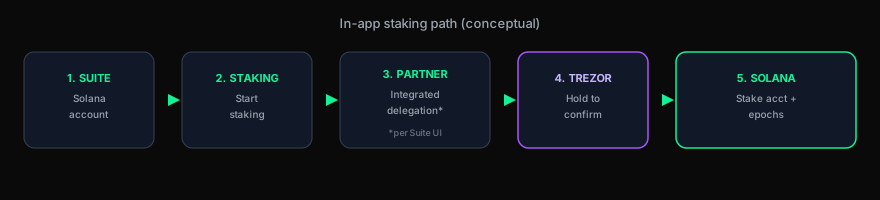
Educational schematic—not an official Trezor asset. Staking in Suite uses an integrated partner path; confirm the current validator/partner naming in-app.
The mechanism: PoS + PoH (why staking exists)
Solana combines Proof of Stake with Proof of History so validators can order and confirm work at high throughput. Most holders delegate instead of running a validator—same idea as other guides: you assign weight, not “mail coins” to a stranger, while keys stay on Trezor.
- The Suite shortcut: built-in staking reduces tab-hopping versus some third-party wallet stacks—at the cost of trusting Suite + partner integration.
- The rent deposit: opening a stake account locks a small refundable deposit (often called rent); it is not the same as a permanent fee.
- The warm-up: rewards do not start the second you click—expect roughly an epoch (~2 days in many descriptions) before the position is fully earning.
The 45-second signing sprint (and why Retry is your friend)
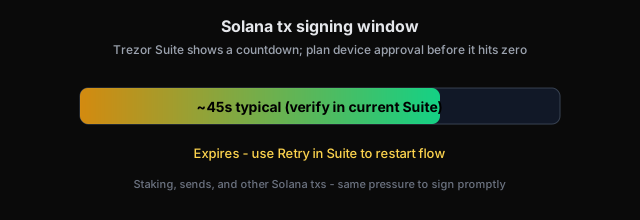
Trezor documents about 45 seconds to finish signing Solana transactions—including stake, send, and similar ops. Suite shows a countdown; at zero the tx expires and you restart with Retry. Have your device unlocked and ready before you click the final step.
Below: official Trezor illustration of the signing/timer step (hosted by Trezor).
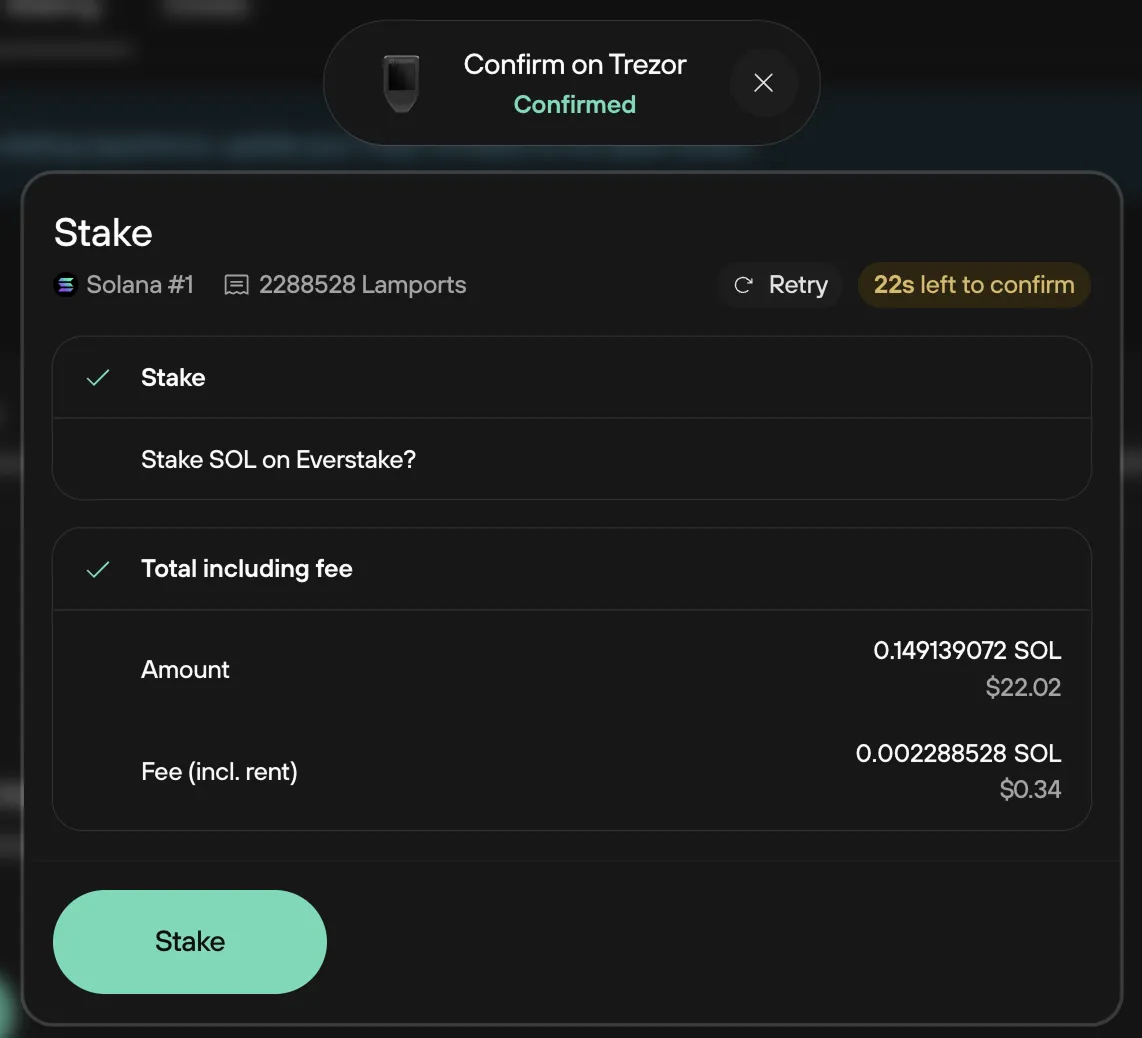
Source: Trezor guide (image © Trezor).
Yield reality check (no magic APY)
Suite exposes a dashboard where the rate moves. Third-party copy sometimes cites figures “up to ~7%”—treat that as marketing context, not a promise. Net yield depends on network inflation, commission, and how the integrated delegation route is structured.
| Phase | What to expect |
|---|---|
| Warm-up | ~1 epoch (~2 days in Trezor’s docs) before rewards ramp; SOL is delegated but not instantly “on.” |
| Unstake | Another ~2-day epoch-style cooldown before liquidity returns; plan sells 3+ days ahead if you need spendable SOL. |
| Claim | After cooldown, use Claim in the Staking tab to pull principal/rewards back to the spendable balance. |
Step-by-step: Trezor Suite staking (condensed)
Supported devices include Model T, Safe 3, Safe 5, and Safe 7 per Trezor’s guide. Update firmware—Trezor notes flow simplifications from firmware 2.8.9 onward.
Plug in Trezor, launch Suite, pick the Solana account from the sidebar. Minimum balance cited in Trezor docs: 0.01 SOL to start staking.
Read disclosure screens (expand drop-downs), check confirmations, pick a percentage or amount, and acknowledge the entry period.
Match what Suite shows with the Trezor screen. Finish before the countdown hits zero.
Rewards compound in-protocol; Suite is your monitoring surface. For unstake: Unstake → wait cooldown → Claim.
Shop Trezor Safe 7 (affiliate) → Trezor Safe 5 (affiliate) → Full hardware audit (4096B, latency) → Buy SOL on Kraken →
FAQ (short)
Is Suite staking the same as Phantom + Trezor?
No—this path is native to Suite’s integrated flow. Third-party wallets have different UX and validator pickers.
More FAQs?
See Trezor Solana staking FAQ (2026) · Ledger path: Ledger guide.